

Introduction
As businesses embrace a digital-first world, many are shifting from traditional desktop accounting software to cloud-based solutions that offer greater flexibility, real-time access, and improved collaboration. For U.S. businesses and CPA firms, transitioning from QuickBooks Desktop (QBD) to QuickBooks Online (QBO) is a strategic step forward. However, one major concern often arises the risk of data loss. With careful planning and the right process, this migration can be smooth, accurate, and reliable, keeping your financial records intact.
What to Know Before You Convert
Migrating from QuickBooks Desktop to QuickBooks Online can be a smart decision, but it’s important to prepare properly. Not every feature or piece of data transfers seamlessly, so having the right expectations is key. Here are the important things to know before you move:
1. Incomplete Data Migration
- Some details like audit trails, advanced custom reports, and recurring transactions may not fully transfer during the migration process
- The switch from Average Cost in Desktop to FIFO in Online can create variations in your reported inventory values.
2. Maximum file capacity
- Instead of migrating everything, you may be required to keep older data archived and shift only the last few years.
3. Feature Differences
- QuickBooks Desktop offers advanced reporting, specialized industry editions, and robust job costing features that QuickBooks Online may not completely match.
- QuickBooks Online, on the other hand, offers automation, real-time access, and integrations that Desktop lacks.
4. Securing your data through regular backups
- Make sure to back up your Desktop data first to avoid any risk of data loss during migration
- This ensures you can access historical data if needed in the future.
QuickBooks Desktop vs QuickBooks Online: Extended Comparison
| Feature | QuickBooks Desktop | QuickBooks Online |
| Access | Installed on one computer; remote access needs hosting | Cloud-based, accessible anywhere via web or mobile app |
| Reporting | Strong custom reporting with advanced features | Good standard reports, fewer customization options |
| Automation | Limited automation (manual data entry, reminders) | Automatic bank feeds, invoicing, bill pay, reminders |
| Inventory Tracking | Average Cost method only | FIFO method (may impact valuations during migration) |
| Payroll | Desktop payroll add-on; updates require downloads | Fully cloud-based payroll with automatic tax updates |
| Integrations | Fewer integrations, mostly desktop apps | Hundreds of third-party app integrations (CRM, eCommerce, etc.) |
| Cost Structure | One-time license or annual renewal | Monthly subscription, scalable by plan |
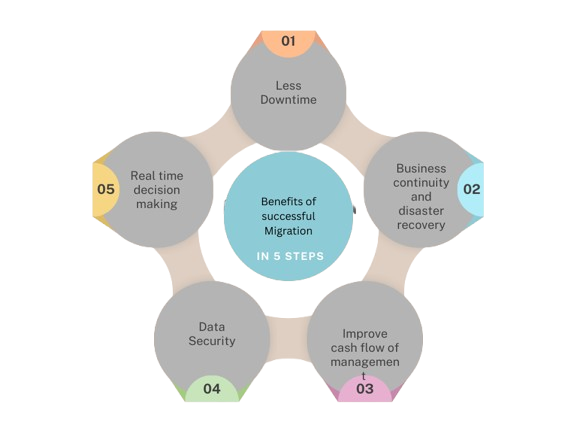
Future-Proof Your Business with QuickBooks Online
Conclusion:
QuickBooks Online empowers you with anywhere access, real-time collaboration, and simplified processes that let you focus more on growth and less on administration. The key is ensuring your migration is handled with care.
If you’d rather not deal with the technical details, our team at Kariwala & Co. LLP is here to help. We specialize in QuickBooks migrations, ensuring accuracy, security, and peace of mind at every step. Let us take the complexity off your plate so you can enjoy the benefits of QuickBooks Online without the stress.